How to fill in the request.
A step-by-step guide with every field explained, examples and screenshots. If you still have questions, contact us.
Before you start
Get these items ready. With them at hand, filling in takes about 10 minutes.
- The voucher code your public body sent you.
- The holder's photo ID, in PDF: RG (identity card), CNH (driver's license) or professional card, not expired.
- The holder's CPF (Brazilian tax ID) and employee number, shown on the payslip or badge.
- For e-CNPJ: the agency's CNPJ card and the oath of office or appointment of the person who represents the institution, in PDF.
- An email address and a mobile phone you use every day, and up to 3 business days when the holder can be served.
Check the voucher
The voucher is a code that shows the certificate has already been paid for by the public body. On the Check voucher page, enter the code and the CPF of the person who will use the certificate.
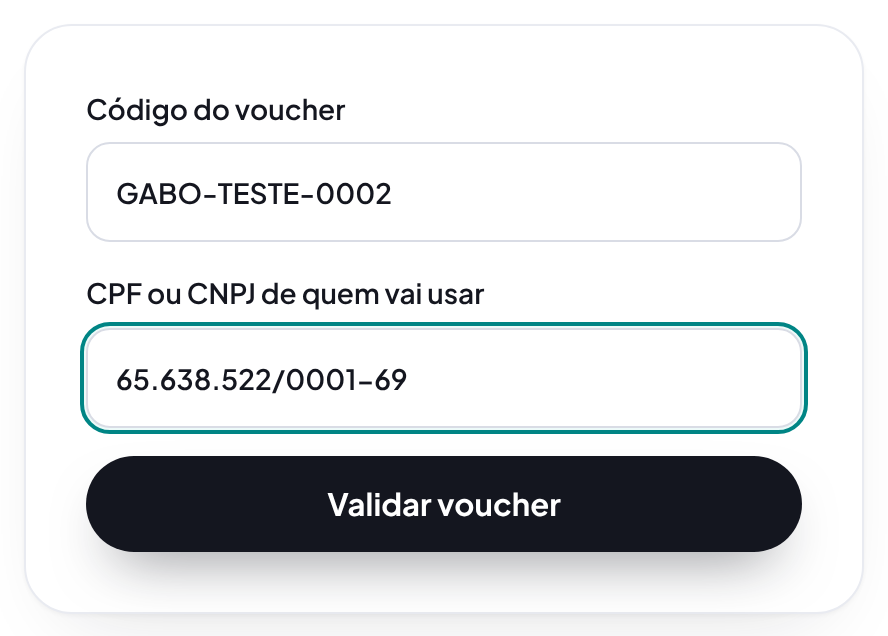
- Voucher code
- Type it exactly as you received it, with letters and numbers. Example: ABC-1234-XYZ.
- CPF or CNPJ of the certificate user
- The CPF of the person who will use the certificate. The voucher only works with the CPF linked to it.
If you see "invalid voucher", check the code and the CPF. After 5 wrong attempts, the page asks you to wait 15 minutes, to protect your voucher.
Who the certificate is for
You can request it for yourself or, with authorization, for another person at the agency. When the request is for another person, the details in the next steps are theirs.
- Who the certificate is for (required)
- Choose "For another person" when you are authorized to request the certificate for colleagues or for whoever heads the city hall or a department. In that case, the holder's details are the other person's, not yours.
Example: For me - Why you are requesting for another person (in some cases)
- Tell us why you are requesting on behalf of the other person. The team uses this to check the authorization with the agency.
Example: I'm on the IT team and manage the department's certificates. - Your full name (in some cases)
- When the request is for another person, we need to know who made it.
Example: João Pedro Alves - Your CPF (in some cases)
- It is recorded as responsible for the request. It is not the CPF that goes on the certificate.
Example: 111.444.777-35 - Your email (in some cases)
- You and the holder receive the protocol number and the service updates.
Example: joao.alves@prefeitura.pe.gov.br
Institution (only for a legal entity certificate)
Shown when the voucher is for an e-CNPJ. Keep the agency's CNPJ card at hand.
- Institution's CNPJ (in some cases)
- The legal entity certificate is linked to this CNPJ. Check it on the institution's CNPJ card.
Example: 65.638.522/0001-69 - Institution name, as on the CNPJ (in some cases)
- The institution's official name, as shown on the Federal Revenue CNPJ card.
Example: Prefeitura Municipal de Exemplo - Institution's phone (in some cases)
- A number to reach the institution about the certificate.
Example: (87) 3781-0000
Holder or legal representative details
Details of the person who will use the certificate. For e-CNPJ, the details of whoever is responsible for the CNPJ, such as the head of the city hall or a department.
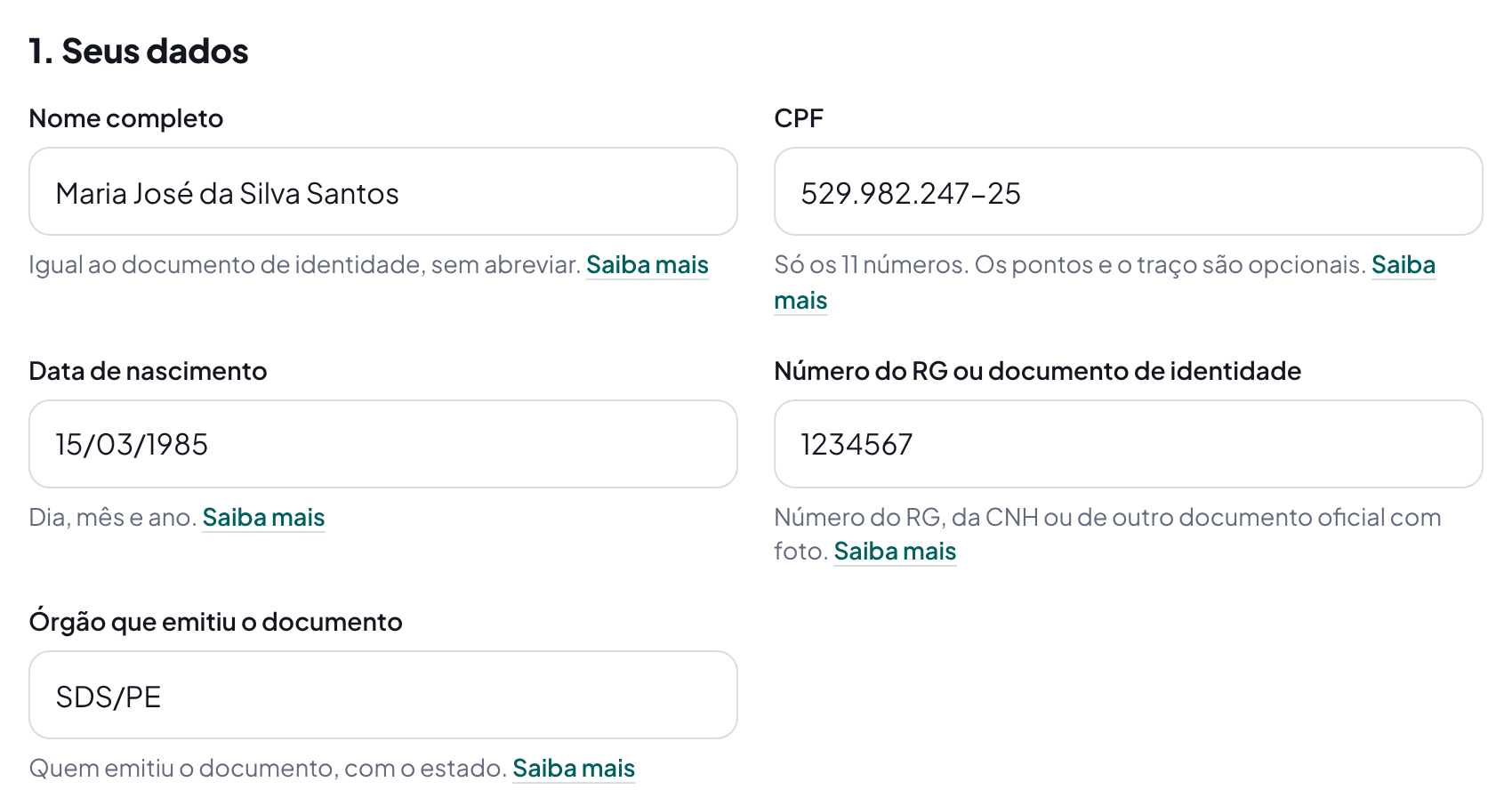
- Full name (required)
- Write your full name exactly as it appears on your ID card or driver's license, with all surnames. The certificate is issued with this name and cannot be corrected afterwards.
Example: Maria José da Silva Santos - CPF (Brazilian taxpayer number) (required)
- The CPF of the person who will use the certificate. The certificate is tied to this CPF, so check every digit.
Example: 529.982.247-25 - Date of birth (required)
- The date of birth is checked against the Federal Revenue records together with the CPF. If it does not match, issuance is refused.
Example: 15/03/1985 - ID card (RG) or ID document number (required)
- Use the document you will show in the video call or in person. It must be valid.
Example: 1234567 - Issuing authority (required)
- It appears on the document, near the number. On ID cards it is usually the Social Defense Department (SDS) or the Public Security Department (SSP), followed by the state abbreviation.
Example: SDS/PE
Contact
We use your email and mobile phone to send the request number and arrange the appointment.
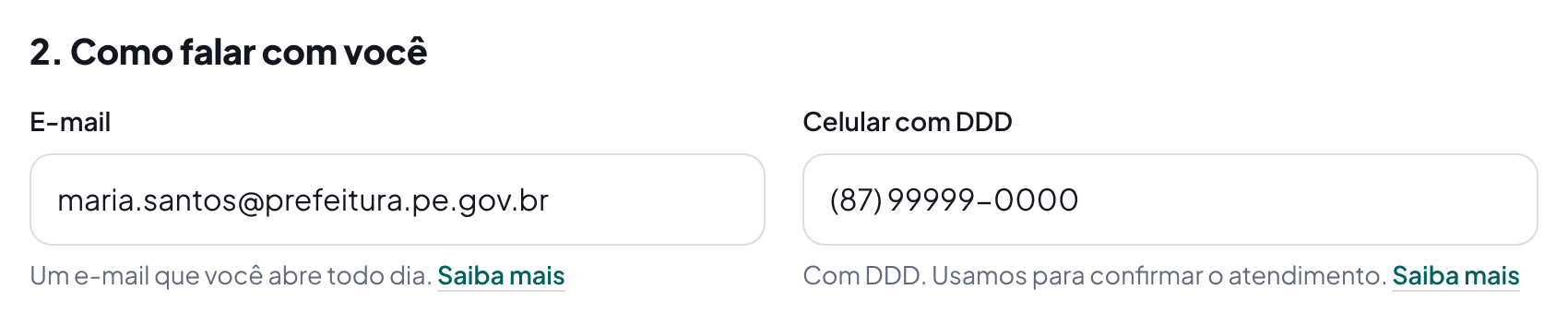
- Email (required)
- We send the request number, the appointment and the notice that the certificate is ready to this email. It can be your work email.
Example: maria.santos@prefeitura.pe.gov.br - Mobile phone with area code (required)
- It must receive calls and messages. Our team uses this number to arrange the issuance time and answer questions.
Example: (87) 99999-0000
Address
The address where the holder lives. For e-CNPJ, the address of the institution's headquarters.
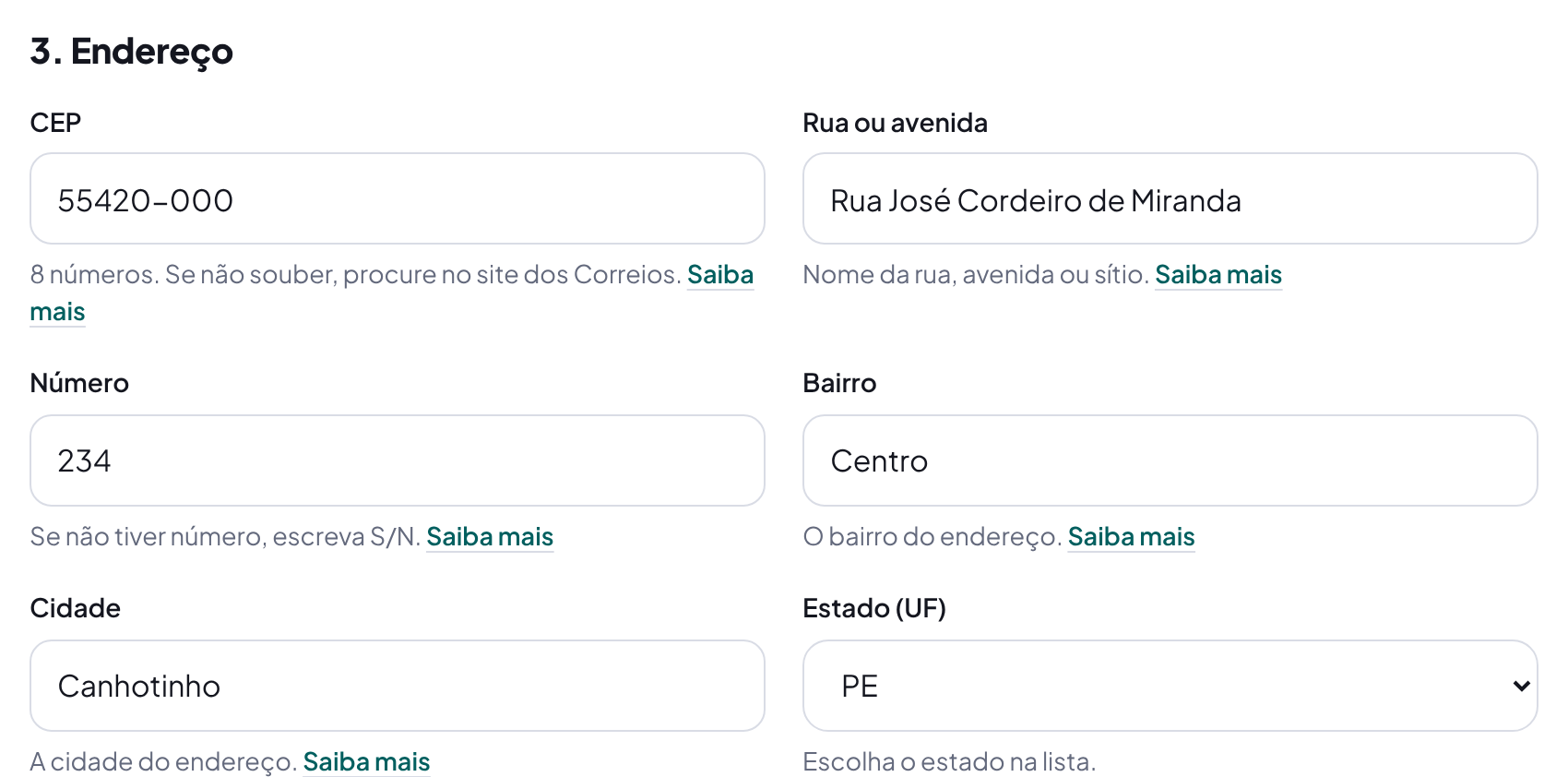
- CEP (postal code) (required)
- The postal code of your home address. It helps us find where an in-person appointment can take place, if needed.
Example: 55420-000 - Street or avenue (required)
- Your home address, without the number. If you live in a rural area, write the name of the property or community.
Example: Rua José Cordeiro de Miranda - Number (required)
- The house or building number. Extra details, like block or apartment, can go here too.
Example: 234, apto 2 - Neighborhood (required)
- If you live in a rural area, write "Zona rural".
Example: Centro - City (required)
- Write the full name of the city.
Example: Canhotinho - State (required)
- The state of the address.
Example: PE
Work at the agency
They show that the holder belongs to the agency that contracted the certificate.
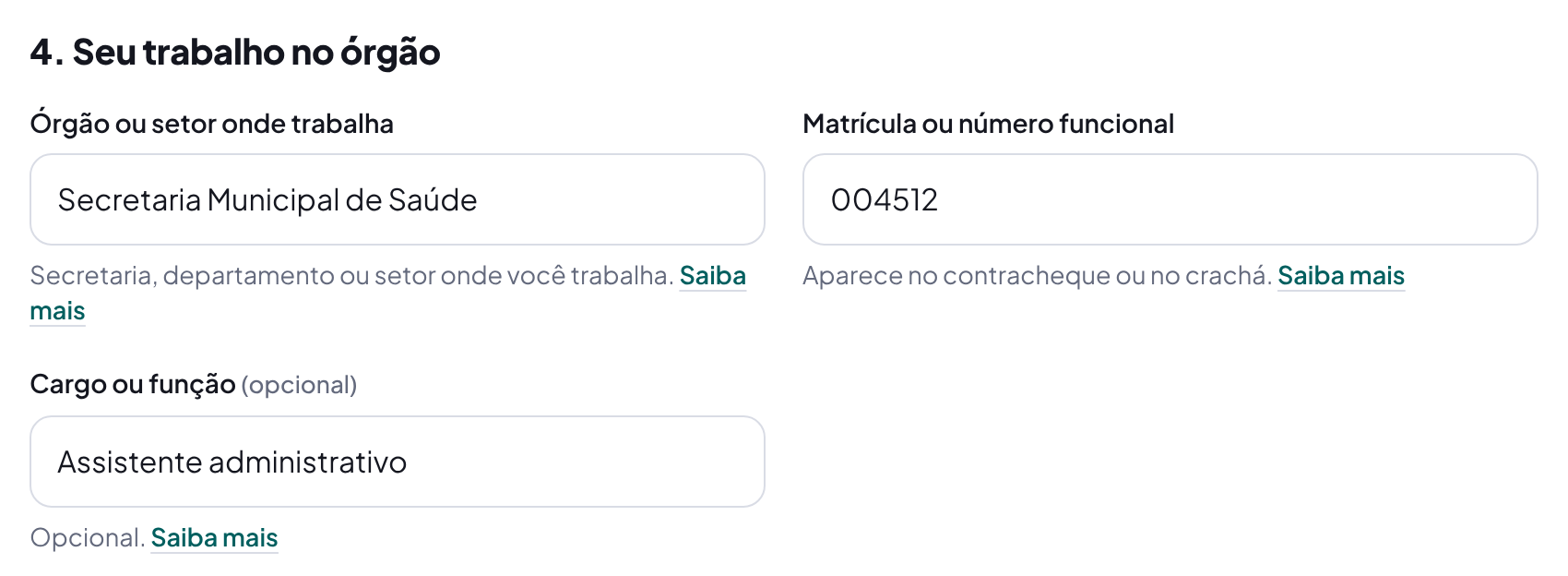
- Public body or department where you work (in some cases)
- The unit you are assigned to. It helps the public body confirm the request is yours.
Example: Secretaria Municipal de Saúde - Employee number (in some cases)
- The number that identifies you at the public body. It may also be called staff number or registration.
Example: 004512 - Position or role (optional)
- Your position or role. Not required.
Example: Assistente administrativo
Token or card delivery
Shown when the certificate goes on a token or a card.
- Where to deliver the token or card (in some cases)
- The token or card is delivered to the address above or to another address you choose, such as the agency's headquarters.
Example: At the same address - Delivery CEP (postal code) (in some cases)
- The address where someone can receive the token or card during business hours.
Example: 55420-000 - Delivery street or avenue (in some cases)
- Without the number.
Example: Avenida Principal - Delivery number (in some cases)
- Extra details, such as room or floor, can go here too.
Example: 100, room 2 - Delivery neighborhood (in some cases)
- If it is a rural area, write "Zona rural".
Example: Centro - Delivery city (in some cases)
- Written in full.
Example: Canhotinho - Delivery state (UF) (in some cases)
- The delivery state.
Example: PE
Dates for the appointment
Suggest up to 3 business days. The team confirms one of them with you.
- First date option (required)
- Suggest up to 3 days for the appointment. The team confirms one of them by phone or email. Saturdays and Sundays are not available.
Example: 18/11/2026 - Second date option (optional)
- More options help us schedule faster.
Example: 19/11/2026 - Third date option (optional)
- Use a date different from the other two.
Example: 20/11/2026 - Best time (required)
- The time of day when you can be served.
Example: In the morning
Anything else?
A free space for notes to our team.
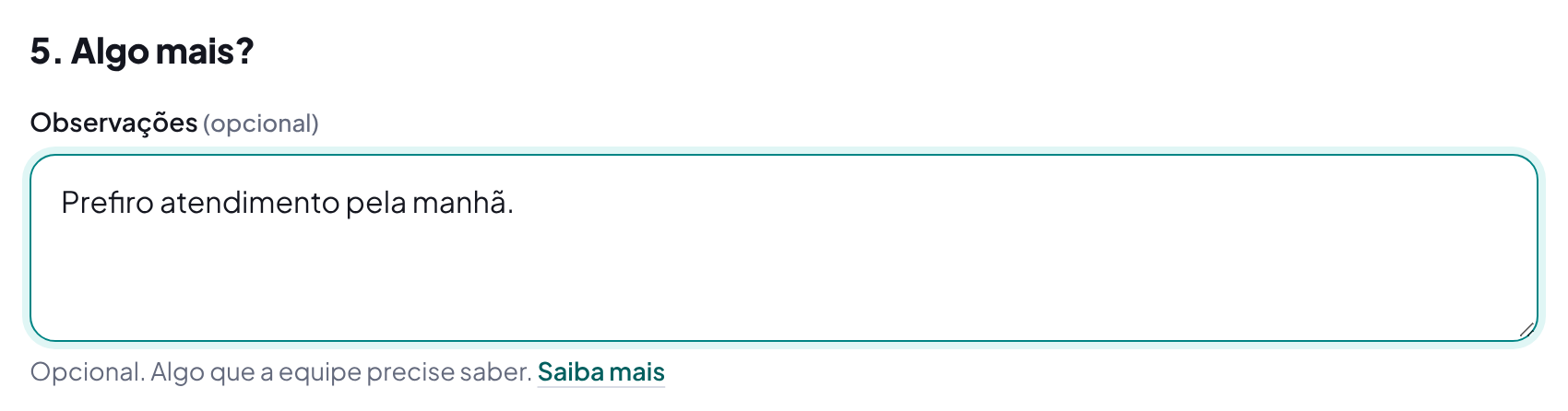
- Notes (optional)
- Use it for important notes, like the best time for your appointment or if you need accessibility support. Do not write passwords or other people's data.
Example: I prefer a morning appointment.
Documents in PDF
Send each document as a PDF file of up to 5 MB. Phone photos must be turned into PDF first: use your phone's "Scan document" option or your computer's "Print to PDF". If a field has an error, files already received are kept and you don't need to send them again.
- Holder's photo ID (required)
- RG, CNH or another official photo ID, front and back in the same file.
- Proof of employment or representation (required)
- For a legal entity: oath of office or appointment of the person who represents the institution. For an individual: payslip or badge, if you have one.
- Other document (optional)
- Any other document required by the agency's terms of reference.
Authorize and send
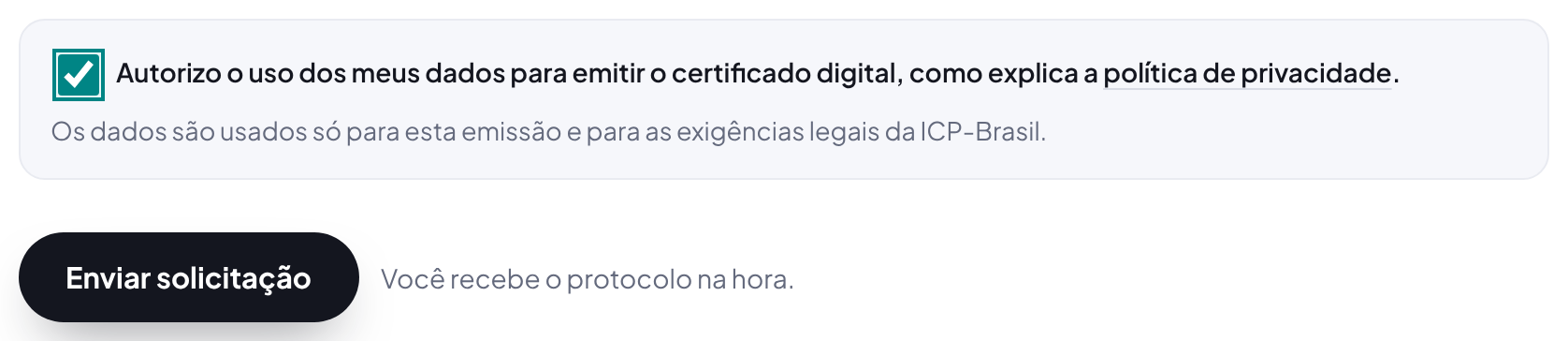
Check both boxes. The first authorizes the use of the data: the law requires the details of anyone who receives a digital certificate to be checked and kept by the certificate authority. The second confirms the information is true. False data can block new issuances in the holder's name. Then click Send request.
If a field needs fixing, the page shows a list at the top and marks the field in red, with an explanation right below. What you already typed is not lost.

After you send
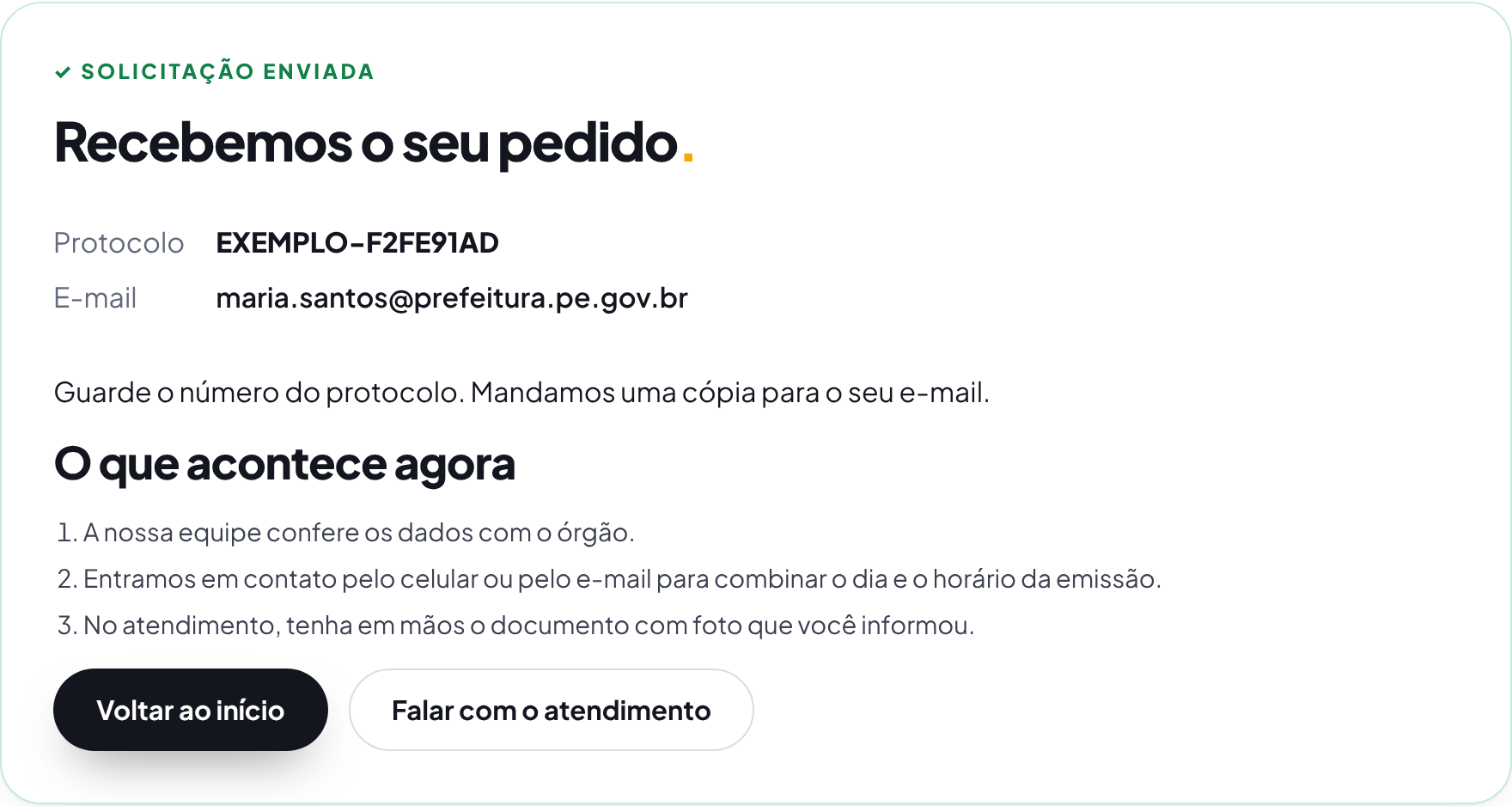
- You see the request number on screen and get a copy by email.
- Click "View and download the receipt" to print or save it as PDF. The receipt shows the details sent, with the CPF partly hidden.
- Our team checks the details and documents with the agency.
- We contact you to confirm one of the dates you suggested.
Accessibility features
- Guided tour: the "Take the guided tour" button, at the top of the request, shows each part of the screen, one at a time. Use the arrow keys to move forward and back, and Esc to exit.
- Sign language: the blue VLibras button, at the side of the screen, translates the text into Brazilian Sign Language (Libras).
- Text size, contrast and underlined links: use the "Accessibility" button at the top of every page. Your choice is saved in this browser.
- Keyboard: every field can be filled in with the keyboard only. The Tab key moves to the next field.
